
Need help with Orpheus? You’re in the right place!
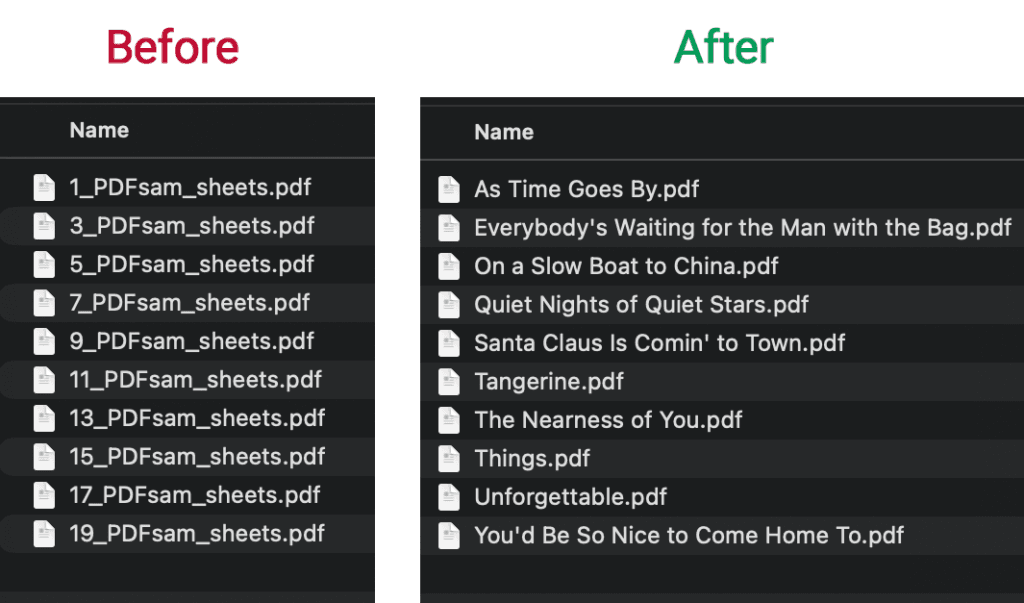
If you’ve ever scanned a stack of paper sheet music, you know what happens next: a folder full of files named Scan_001.pdf, Scan_002.pdf, Scan_003.pdf… and a lot of effort to manually rename them.
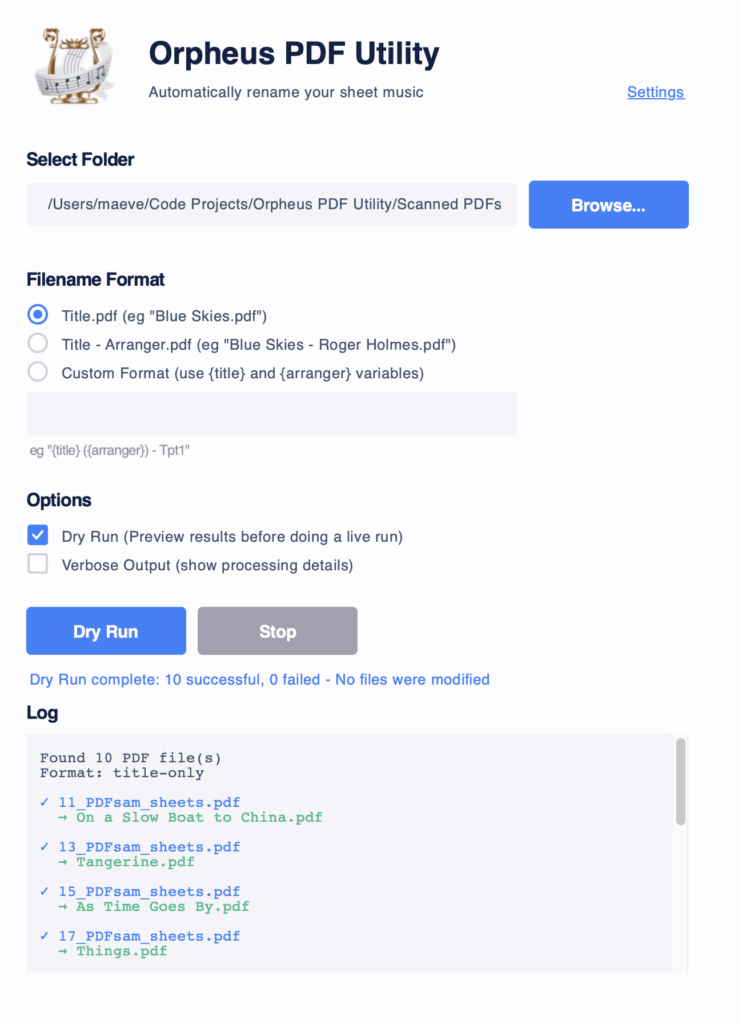
I built Orpheus PDF Utility to fix that! Simply point it at a folder of scanned PDFs, and it will automatically extract the title and arranger, and rename the files in your chosen format. Perfect for organising digital sheet music libraries for use with Orpheus sheet music reader app.
The app reads your sheet music, and retitles the files. No more manual renaming – hooray!
Orpheus PDF Utility uses AI to read the text on your scanned sheet music and figure out the title and arranger. Here’s what that means for you:
Couldn’t I just ask ChatGPT / Claude / Gemini etc to do this for me?
You could, but it will be less accurate and far more expensive and time consuming! Orpheus PDF Utility is purpose-built for this very specific job. So it understands sheet music publishing norms (eg position of the various text elements on the page), can verify and correct it’s findings (eg against known lists of arrangers), and has logic built in to handle things like capitalisation, punctuation etc. It’s also heavily optimised to do this job efficiently (eg processing just the relevant part of the file) which very significantly lowers the processing time and AI usage costs.
Let me know any additional options or features needed to help you with your sheet music scanning workflow. Happy music making.

Maeve Lander is a software developer by day, trumpeter and arranger by night. She created Orpheus ~13 years ago, when Android was first born. It has gone through iteration over the years, but has always held true to the original vision; a minimalist sheet music reader that just does one thing, really well.
Comments are for discussing this post with other visitors. For technical support please submit a request here.